Configuration on the Fenergo SaaS Platform
At Fenergo we have holistically embraced the principle of Config First. What does this really mean? In the most practical of terms, it means we have eliminated the word customization. Traditionally some of the following must be treated as unique requirements that need to be customized for:
- Data Models
- Workflow processes and custom operating models.
- Risk Engine factors and weightings.
- Specific scoping and trigger conditions.
Config First
When we designed the Fenergo SaaS platform, we looked at these and all other functional aspects of the platform, not as areas of the system which MIGHT require tailoring from a client to client but as areas that DO need to be tailored for each client. So we decided very early on that no feature would be a reflection of how we thought it should work, but as something where clients could express their operational requirements through configuration. We can provide industry standard examples of best practice across all of the above but that in no way reduces the flexibility which can be implemented.
The illustration below outlines how Configuration Users define what and how on the platform, then SaaS Users work through Journeys to follow the processes and collect data.
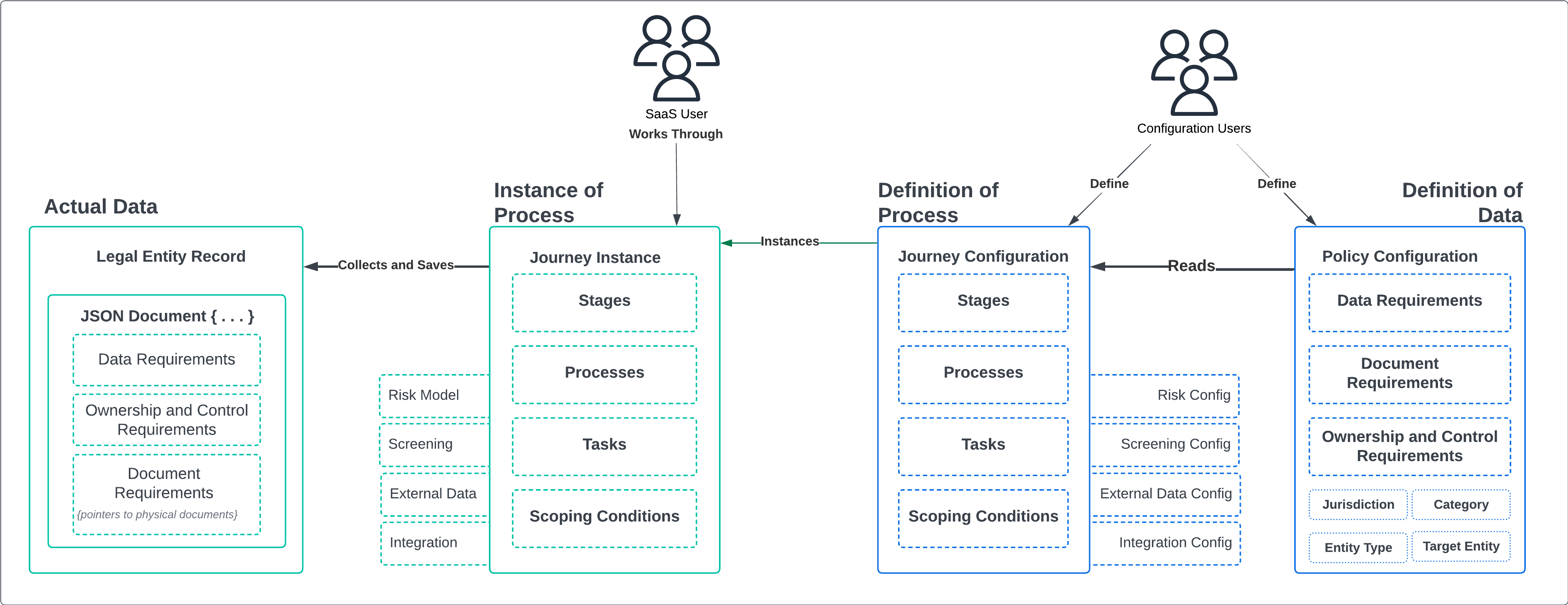
There is a significant difference between the role and permissions of Configuration Users and Standard Operational Users. Permission to perform configuration and promote that configuration from tenant to tenant should be considered analogous with promoting code changes around environments. The ability to change a data model or workflow should be thought of in a similar way to Data Base Administrators.
Data Model Configuration
Definition of Data
Nothing is more unique from client to client than how they Model data within their own business. Everything from commonly used internal language & terms to client specific product offerings or jurisdictionally specific requirements & acronyms. This language of a clients business, finds its way into a core data model and in how employees manage and understand Legal Entity Records.
Not a perfect alignment, but it is helpful to think of Policy's as a Data Model. It is not traditional Database Tables definitions and Rows of information, but conceptually it is very similar.
Remove the Need for Data Dictionaries and Transformations
When faced with the requirement of aligning differing data models, a typical approach is to employ a data-dictionary, then map an internal data model against a vendors out of the box model, handling gaps with a customization and performing transformations. This is EXACTLY what Fenergo have sought to eliminate. Such work is a time and resource hungry activity, not to mention difficult when facilitating ongoing change.
Our Policy configuration allows clients to configure their exact data models on our platform. Of course there will be time required to replicate and configure the model, but it is a durable exercise which can handle changes and updates with ease.
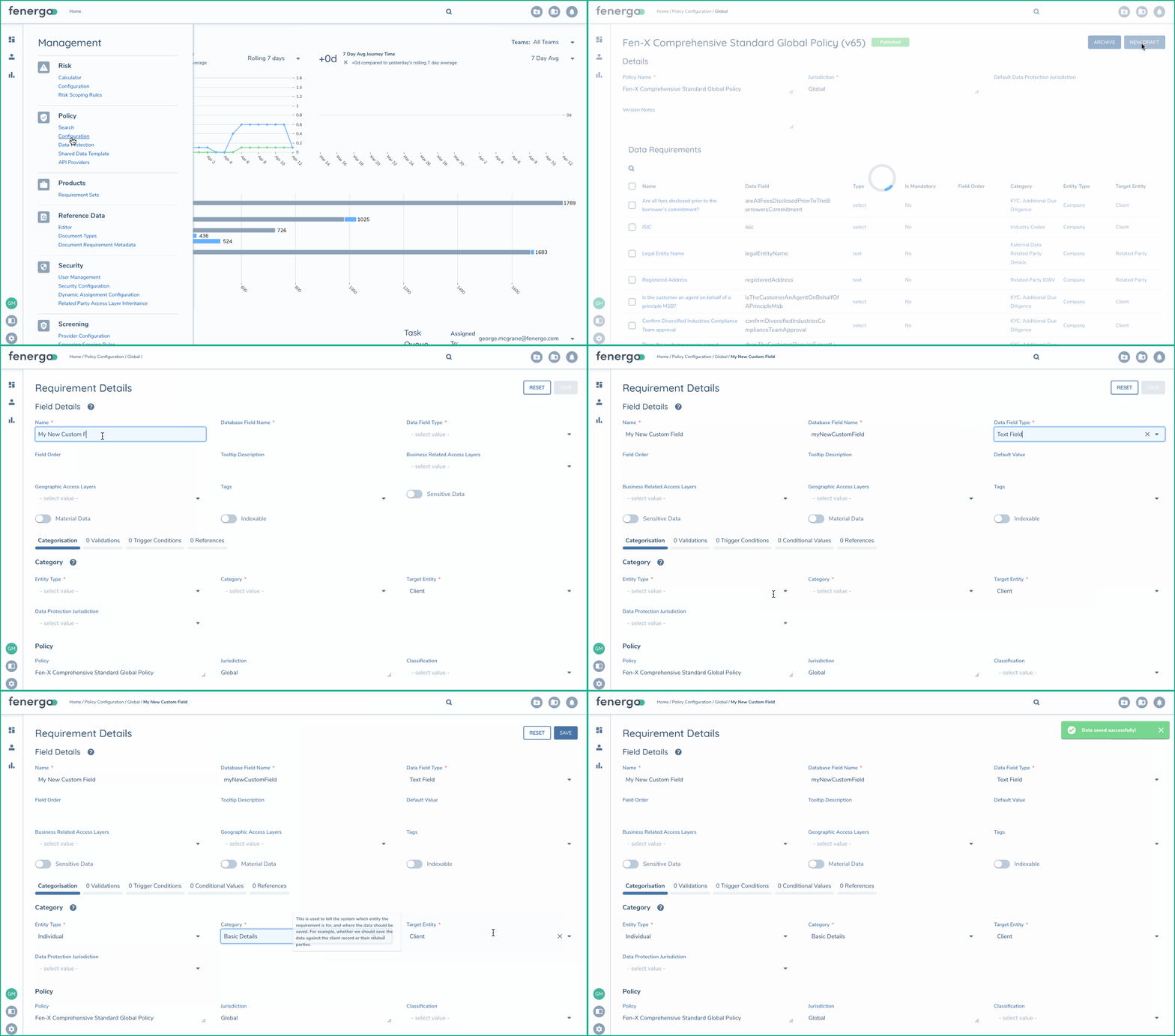
As illustrated below, Configuration Users can use the policy configuration functionality to add any data fields or edit any fields to be named and labeled for to meet requirements. There is support of a wide variety of types (plain text, drop downs with reference data, number, date etc...)
Process Flow Configuration
Definition of Process
When stating above that Nothing is more unique from client to client than how they Model data within their business, not entirely accurate. An operating model is also unique. Not in the general sense, but certainly in the granular level activities and actions taken along with the division of work across teams, users and systems.
In Fenergo, clients configure Journeys to represent their operating models. Clients might be more familiar with the term Workflow.
Your Business, Your Operating Model
A common asset in place when starting a project on Fenergo is a finalized Target Operating Model. Given we work with clients during a time of transformation to more optimized and elegant models, these reflections of ways of working can often be fluid, dynamic and changeable. Again we have eliminated the need to think about customization and embraced full configuration. Clients can define as many Journeys (workflows) as required to meet their requirements, taking advantage of as many Risk Models or other standard CLM activates within those Joiruensy.
The Journey Builder
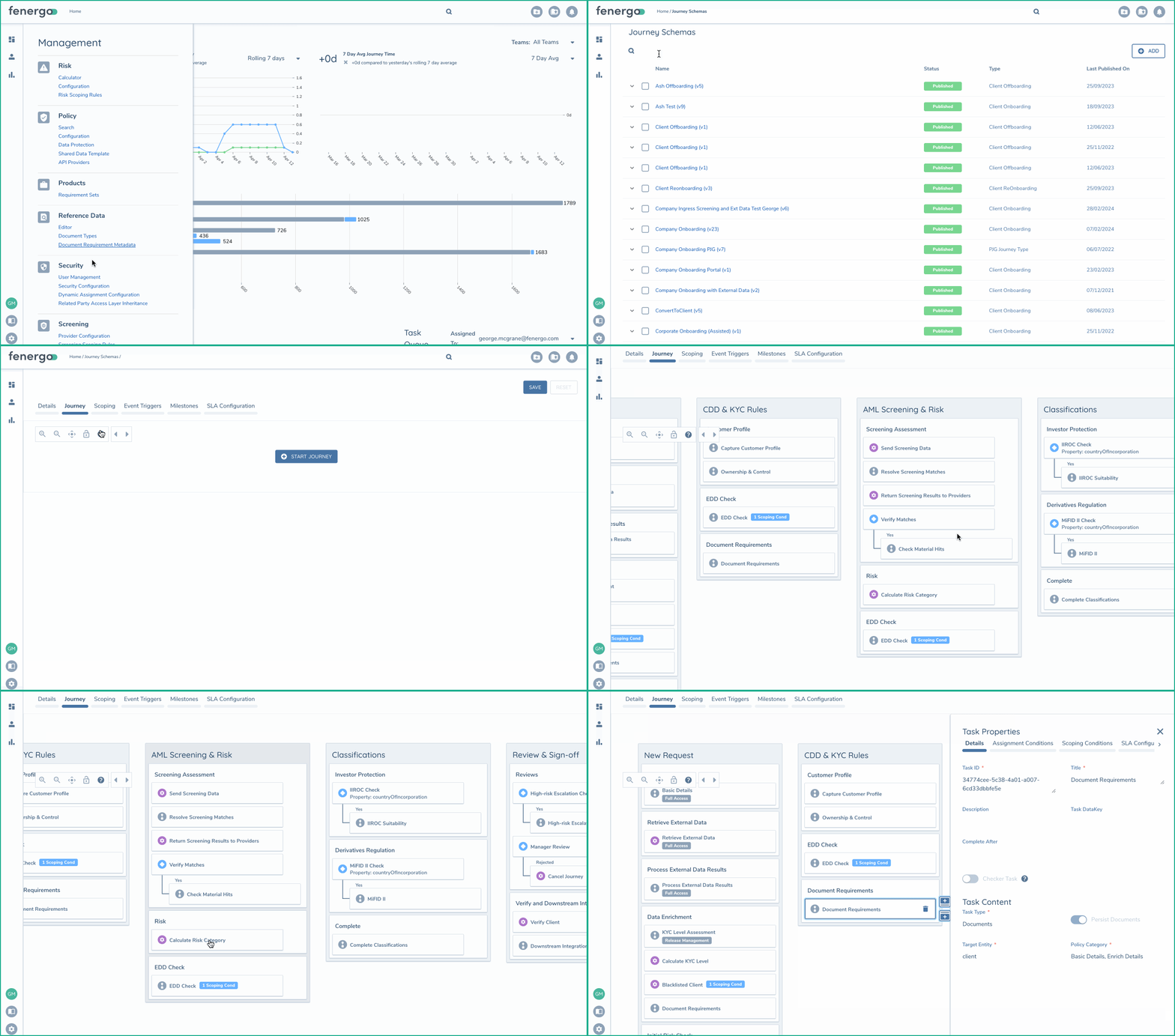
We have an API backed intuitive UI for creating and managing Journeys that requires no programming and offers the flexibility to reflect even the most complex of operating models. You can see below how to navigate to the Journey Builder and see the configuration of that Journey including all stages, processes and tasks.
Journey Lifecycle
To make changes to a Journey, a configuration user only needs to Create a new Draft version of that Journey and then can make any required changes. In the mean time the platform will continue to use the current Published version of the Journey. Once all changes have been made in the draft journey will a configuration user save and publish their changes. The system will then use this new journey definition for all new requests from this point forward.
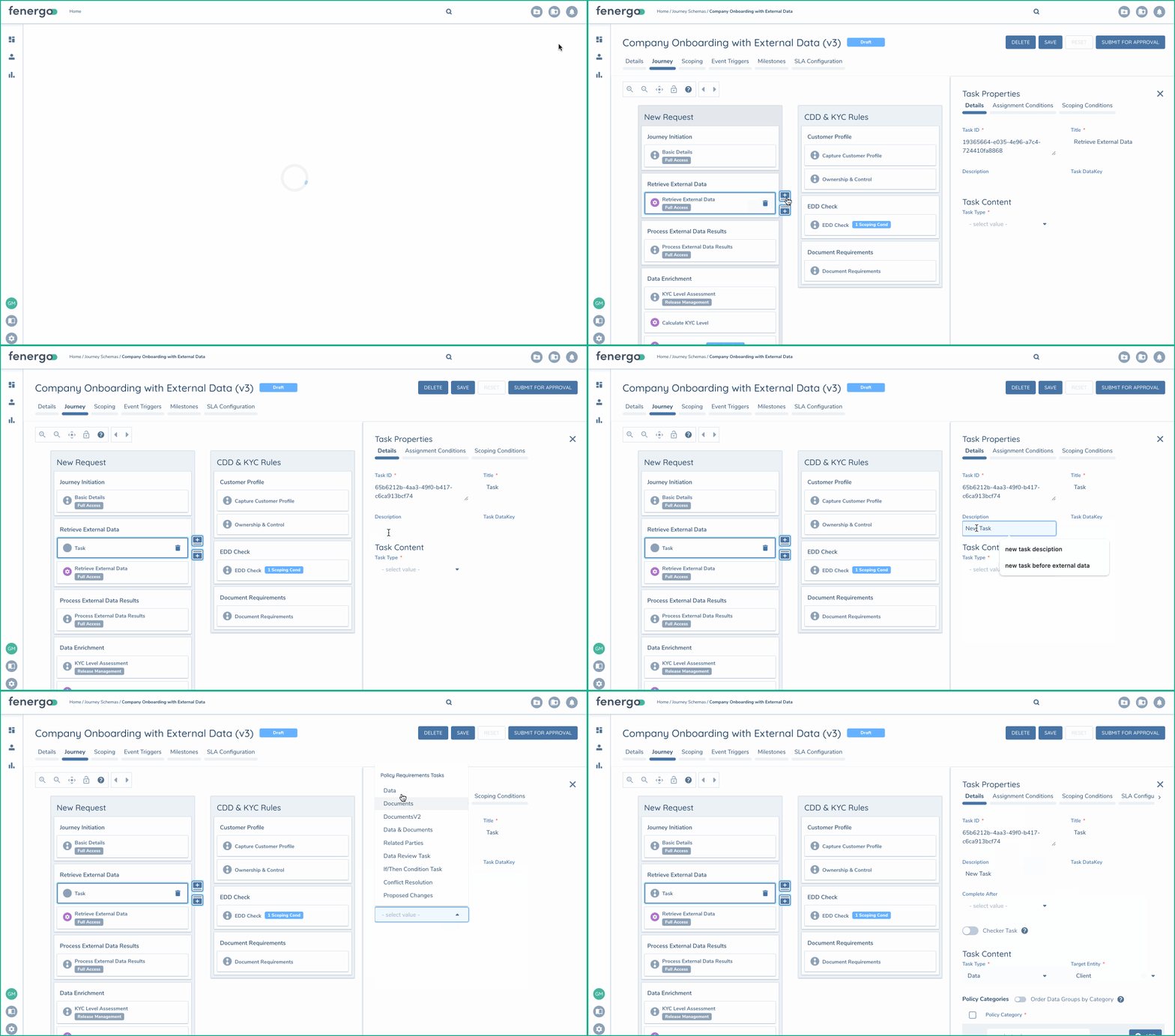
There is a lot of flexibility for clients to configure Journeys to suit their needs.
- Multiple task types to fine tune what data from the policy configuration is gathered in what task.
- Granular scoping conditions at task levels, only do what is required.
- Dedicated tasks aligned to core CLM actions (risk, screening, external data & integration)
- Full eventing model to monitor progress and trigger integrations.
- portable configuration migratable across client tenants (environments)
Learn More
This overview of configuration is simply an introduction to the broad range of capability's. Explore the detailed user and configuration guides to learn more about how to work with the Fenergo SaaS platform.