ETL Delete Associations
Delete Associations is a data type available in ETL for the bulk deletion of existing association records between Entities. It can be used on its own to remove associations at scale, or alongside the Associations data type in the same ETL project to perform a net update to an association's relationship type.
Delete Associations Capability
Because deleting an association removes an existing record rather than writing new data, only the System Fields needed to identify and validate the association are required. No policy fields are mapped, and no policy validation step is needed.
Associations can still be used to make minor updates to an existing association's non-system fields (such as ownershipPercentage or controlPercentage). However, Associations cannot be used to change an association's sourceFenxId, targetFenxId, or relationship values, as these properties are used in critical system functions and define the association's identity. To change any of these values, the existing association must be deleted and a new one created with the desired values — by selecting Delete Associations alongside Associations in the same ETL project.
Prerequisites to Deleting an Association
An association must be Verified before it can be deleted via ETL. You will also need the information that uniquely identifies it — its fenxId, relationship, sourceFenxId, and targetFenxId — to ensure the correct association is removed.
This information can be retrieved from:
- The Associations Query API
- Advanced Reporting, using the relatedparties table
Delete Associations UI
To delete associations in bulk, select the Delete Associations data type when configuring an ETL project.
Map System Fields
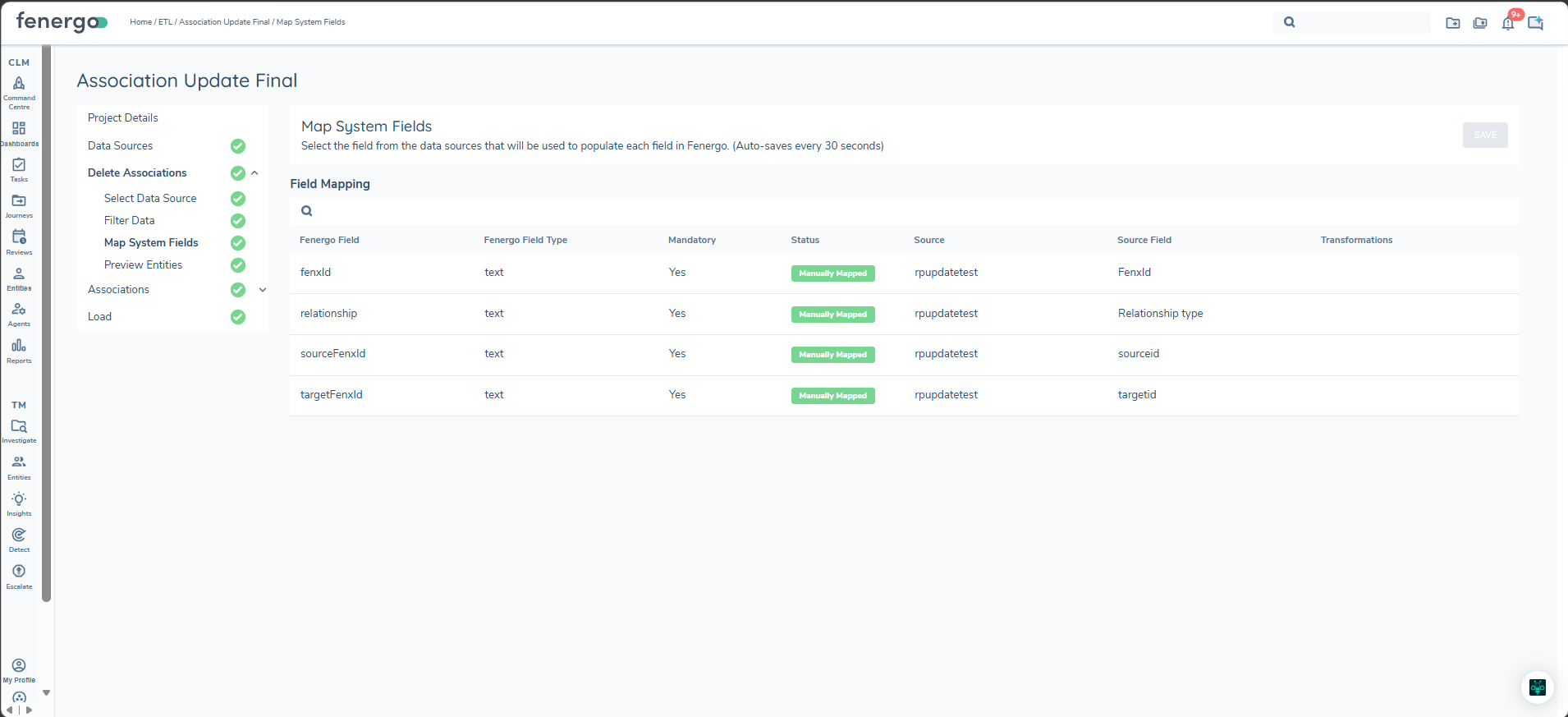
As no data is being written, only the following System Fields are required — there are no policy fields to map for Delete Associations:
- fenxId - the Id of the association to be deleted.
- relationship - the relationship type of the association to be deleted.
- sourceFenxId - the Related Party in Fenergo SaaS associated with the Client Entity.
- targetFenxId - the Client Entity in Fenergo SaaS the Related Party is associated with.
Preview Entities
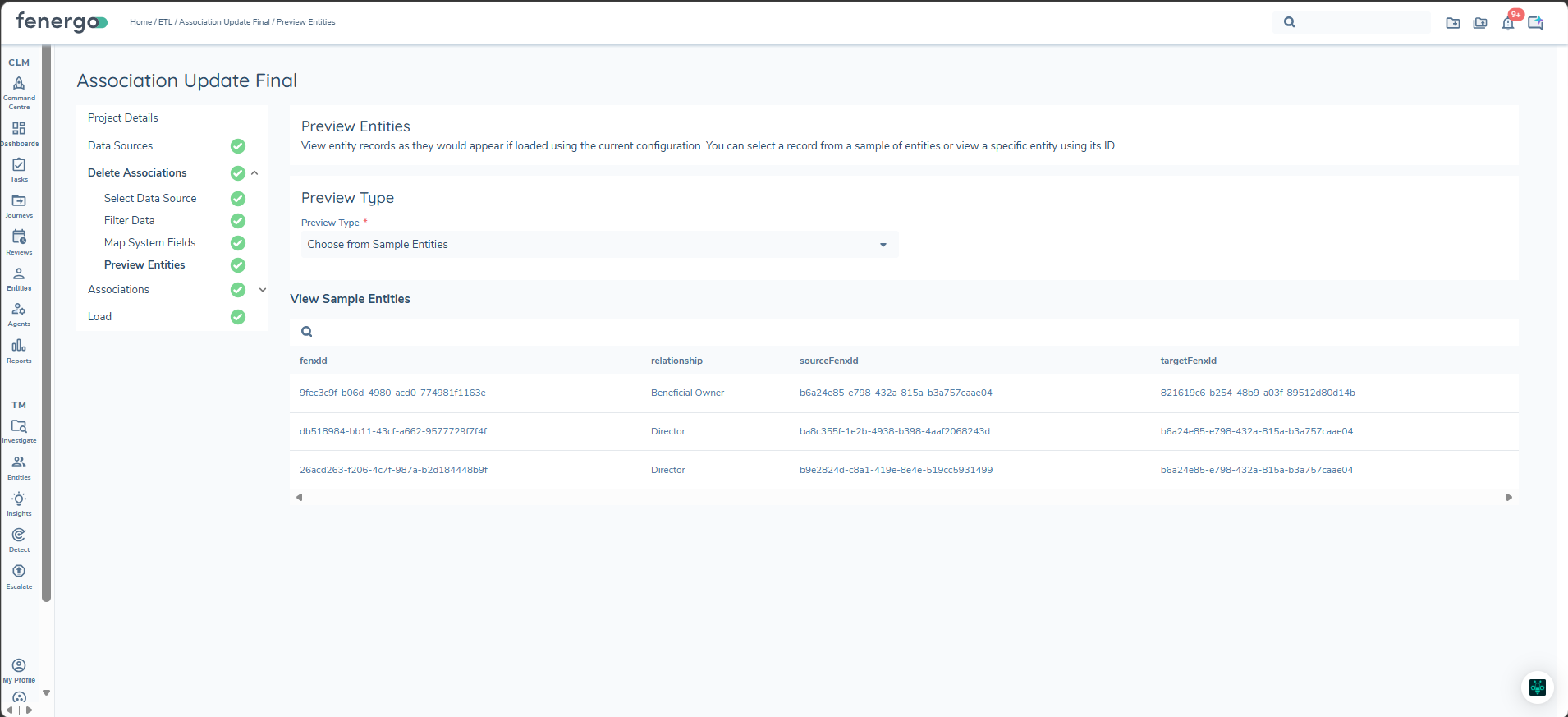
During the preview stage, the association records queued for deletion are displayed for review before loading, showing the mapped fenxId, relationship, sourceFenxId, and targetFenxId values.
Load
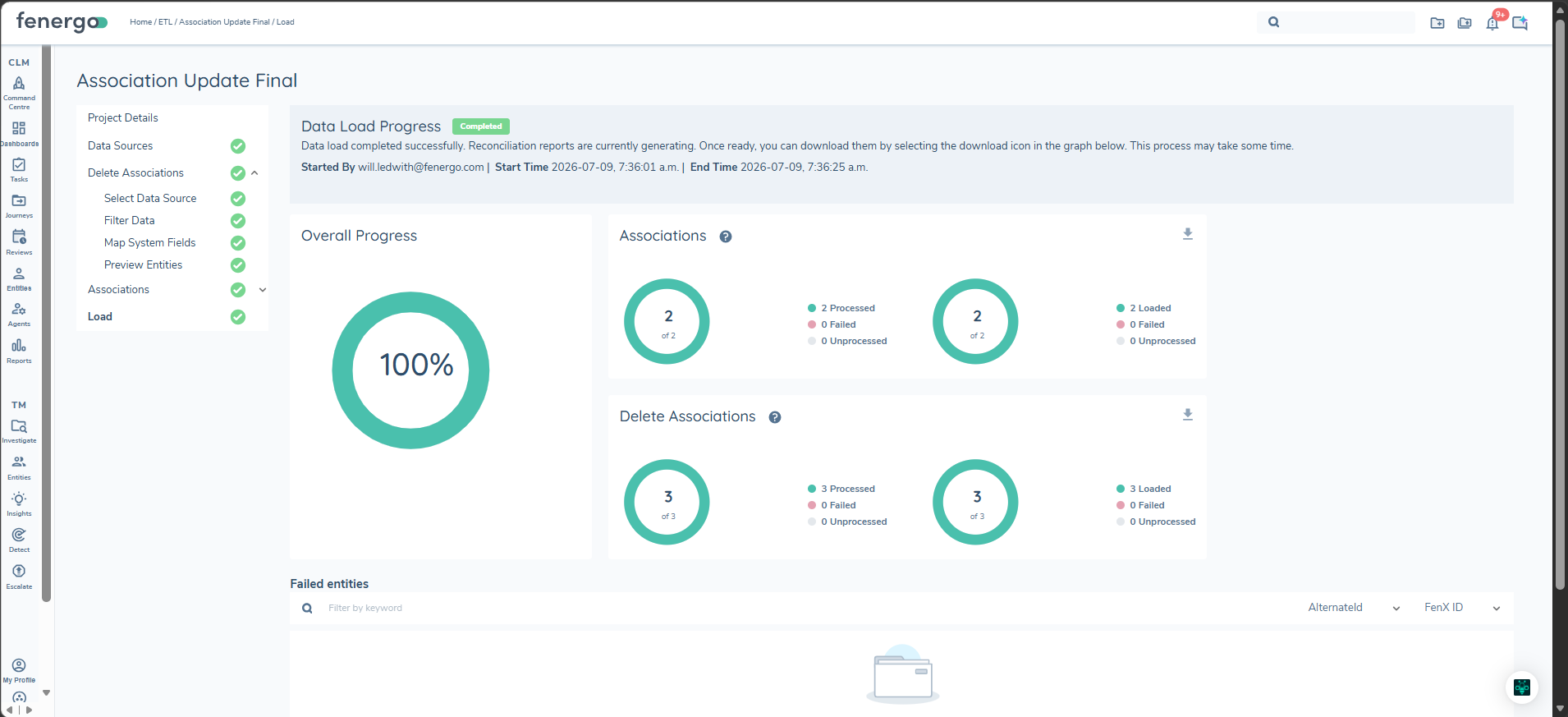
During the Load step, each Delete Associations row is validated against the existing association record identified by its fenxId: the supplied relationship, sourceFenxId, and targetFenxId must all match the existing record exactly before the deletion is actioned. If the supplied relationship, sourceFenxId, or targetFenxId do not match the existing association identified by the fenxId, that row will fail to load. The load will move on to the next row rather than stopping.
Failed rows are captured in the reconciliation report and can be reviewed in the "Failed Entities" section of the Load screen.