Comments on LE and Journey
The Comments feature allows users to leave notes on different entity types within Fenergo SaaS. Currently, Fenergo SaaS supports Comments being applied to an Entity or to a Journey. Both Entity & Journey Comments leverage the same set of permissions (refer to Comments Permissions).
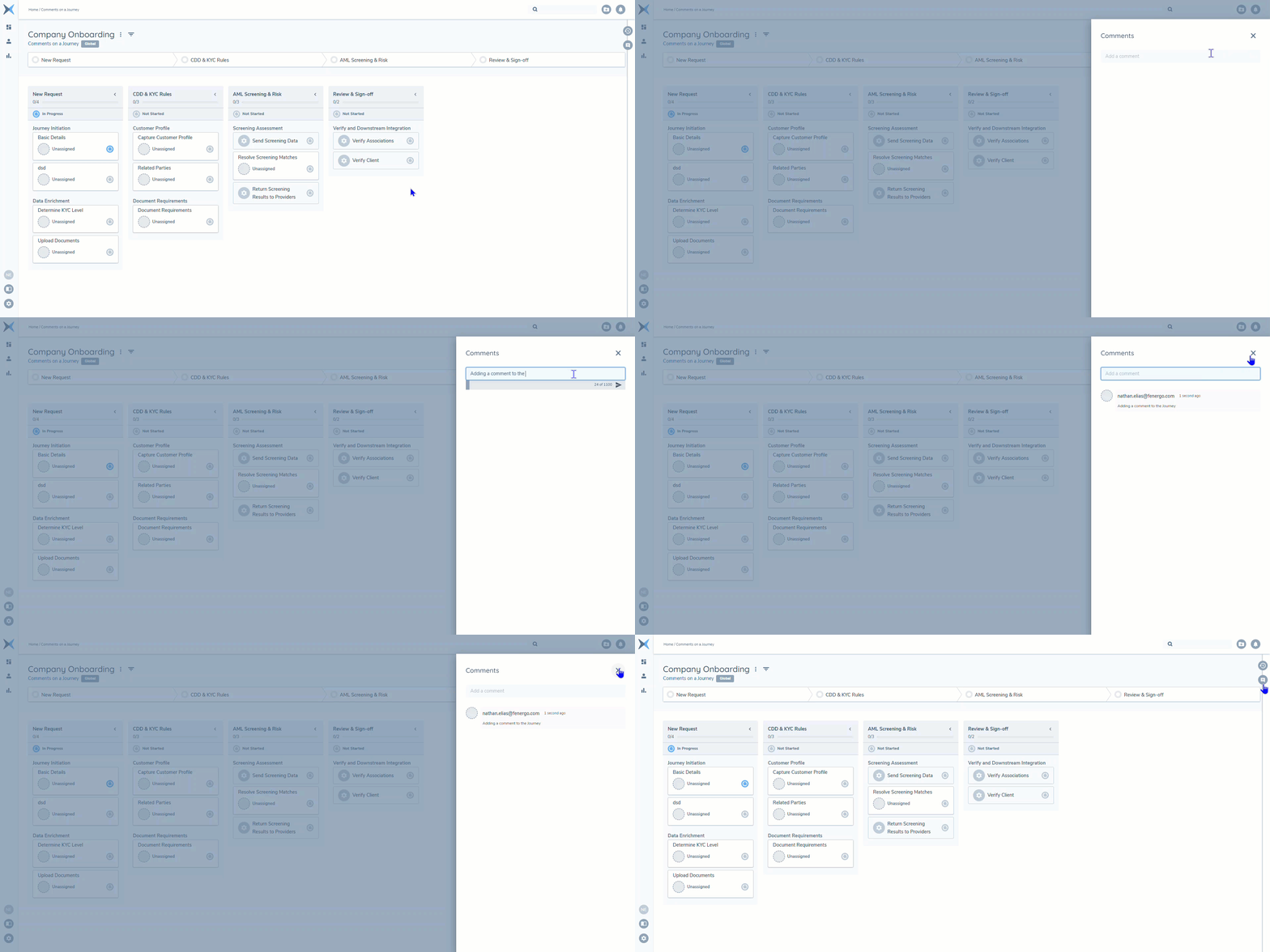
Comments are contained within a shelf located to right of the screen and can be accessed by clicking the Comments Icon (similar to launching the Audit Shelf).
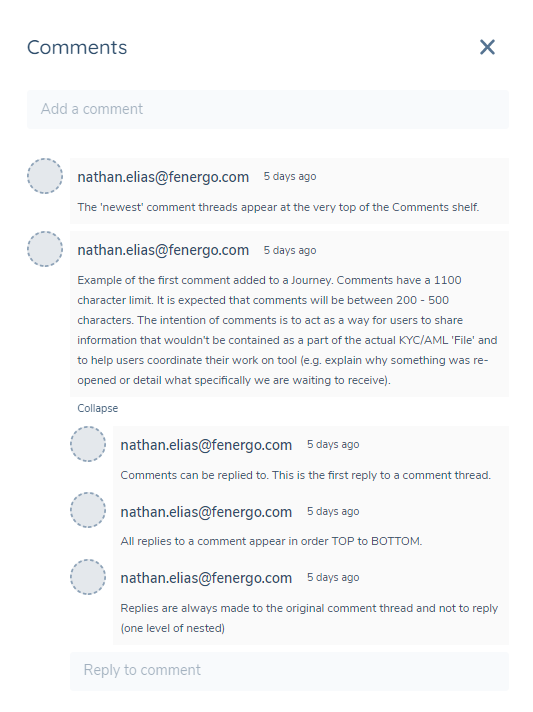
Comment Structure
A "Comment Thread" represents a 'primary' comment created against the entity type. A primary comment has a 1100 character limit. It is expected that comments will be between 200 - 500 characters. The intention of comments is to act as a way for users to share information that wouldn't be contained as a part of the actual KYC/AML 'File' and to help users coordinate their work on tool (e.g. explain why something was re-opened or detail what specifically we are waiting to receive).
A "Comment Thread" can be replied to. Replies to a comment have a 350 character limit as it's expected that replies will be more concise than a Primary Comment. A user is only able to Reply to the primary comment - a user cannot reply to a reply directly (one level of nesting only).
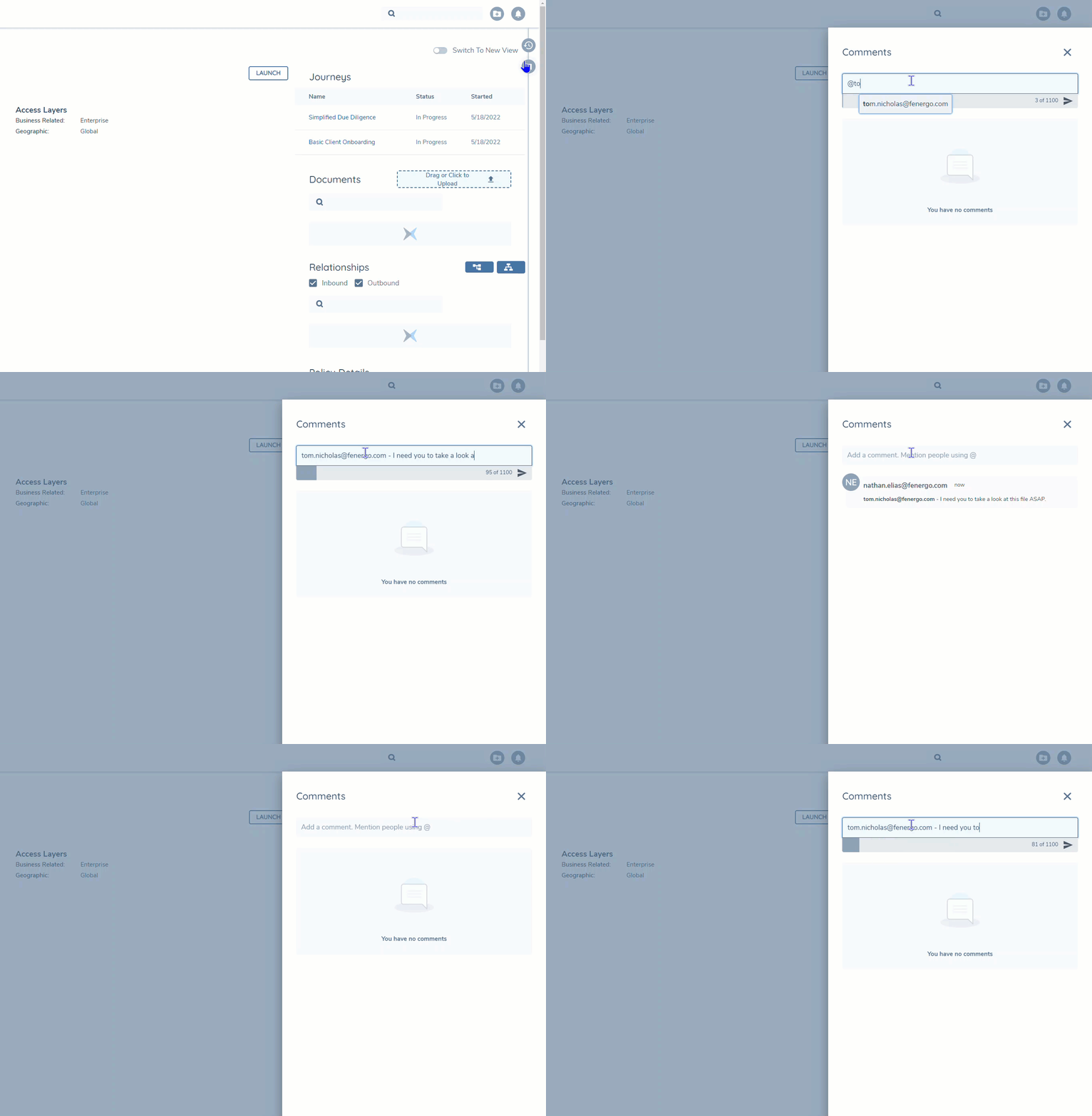
@Mentions
When creating a comment, a user can use the '@' command to select from available users to mention in the comment.
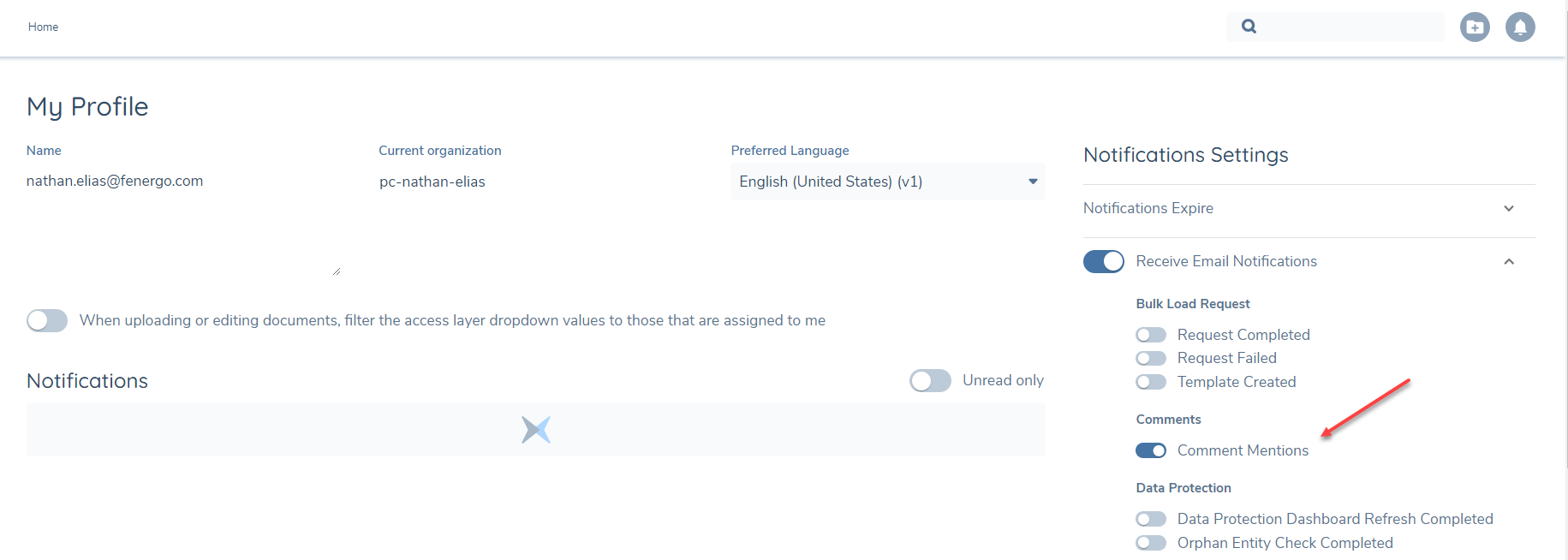
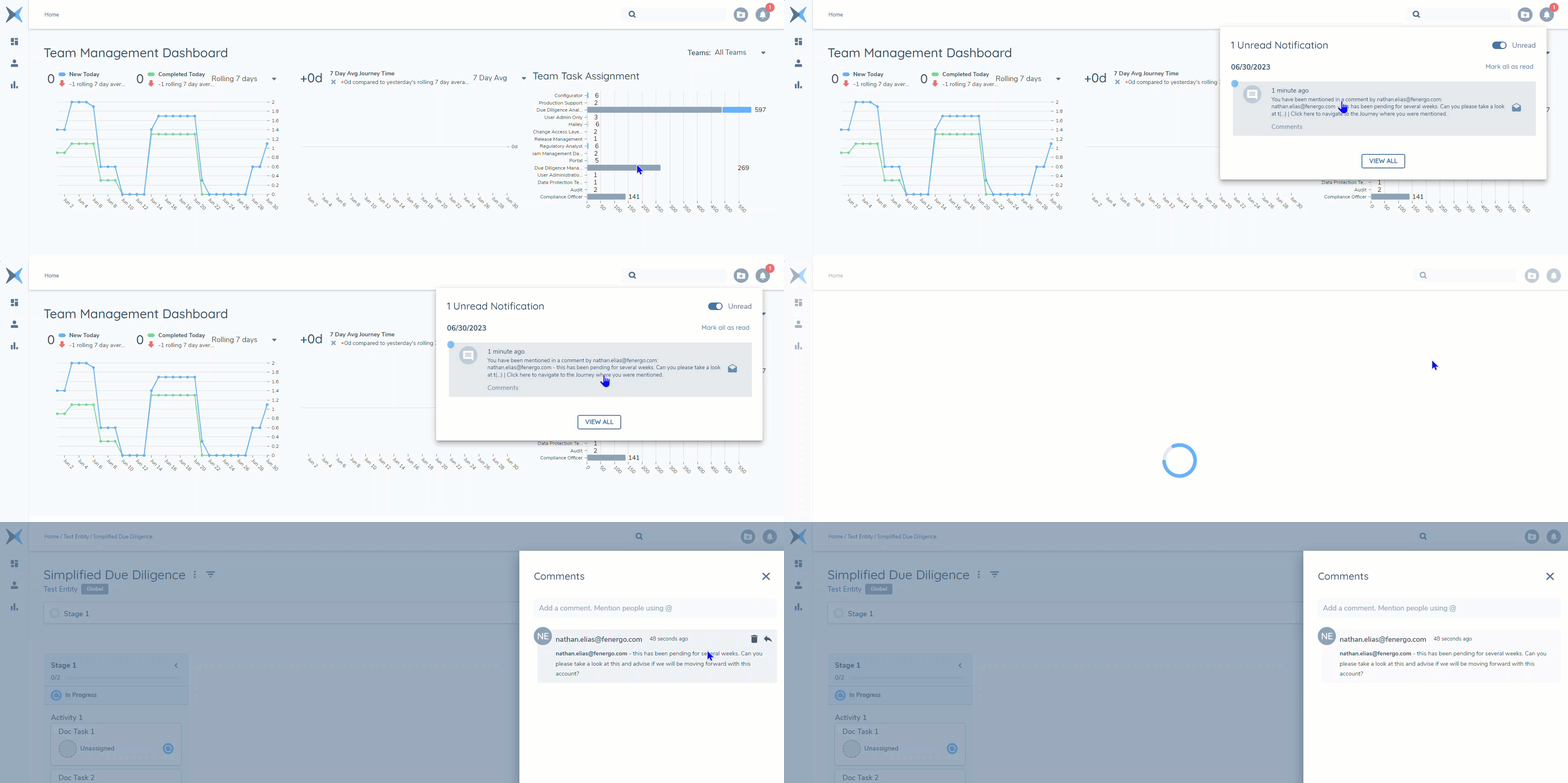
A user who is mentioned in the comment will receive the applicable notification assuming they have their notification to receive 'Comment Mentions' enabled. This notification will need to be enabled by each user to ensure they can receive Comment Mention Notifications.
The notification navigates the user to where they received the comment (e.g. the Journey). Notifications for Comment Mentions within Fenergo SaaS contain some contextual information of the comment: who mentioned you in the comment and the first 100 characters of the comment truncating the remaining portion of the comment text with '(...)'.
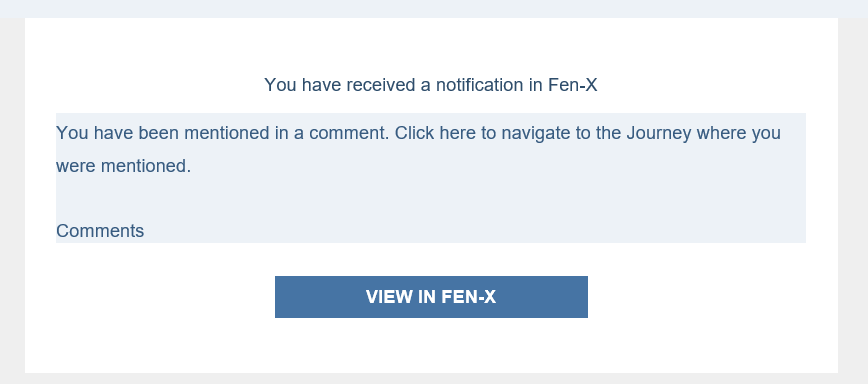
Notifications for Comment Mentions that are remitted through the Email Service (when enabled on the tenant) do not contain any additional contextual information per privacy and security considerations.
API Interactions
Comments API's can be used to Add, Read and Delete Comments on Journey and Legal Entity. Please refer to the Developer Hub for a technical user guide
Event Notifications for Archiving Comments
The Fenergo SaaS solution includes Event Notifications for comments to support clients with a requirement to archive/retain comment activity (per broad or specific user retention requirements).
There are 5 distinct comment event types:
- Comment Posted
- Comment Deleted
- Reply Posted
- Reply Deleted
- Comment Data Protection Execution
Within these events, comment metadata including "ChannelID", "CorrelationID", "CommentID" and the "AuthorID" to support a client in understanding the relationship between different comments including:
- what channel/thread a reply is associated to
- the Journey or Entity that owns a channel/thread and it's various replies
- what specific comment that may be archived has been deleted
- the author of a comment as well as individuals who may have been mentioned within the body of a comment
Additional details pertaining to the payload of these events can be found on Developer Hub under Event Notifications.
Using this information, a client has the capability to impliment their own comments' archive database.
Comment Posted: The "Comment Posted" event indicates when a new comment channel/thread (the primary comment) is created.
Comment Delete: The "Comment Deleted" event indicates when a comment channel/thread is deleted.
Reply Posted: The "Reply Posted" event indicates when a comment reply has been added to a channel/thread (a reply to a primary comment).
Reply Deleted: The "Reply Deleted" event indicates when a comment reply is deleted.
Comment Data Protection Execution: The "Comment Data Protection Execution" event indicates when a full data deletion event has occured and will inform the client when comments that have been archived for an Entity or Journey should be considered for deletion.
Comments Permissions
The Comments feature includes the following permissions:
- Access to Comments - The ability to access comments (launch the comments shelf)
- Create a Comment Thread - The ability to create a new Comment Thread
- Reply to a Comment Thread - The ability to reply to a Comment Thread
- Delete Any Comment - The ability to delete any Comment or Reply to a Comment (made by any user)
- Delete Your Own Comments - The ability to delete Comments or Replies that you created