Standalone TM Permissions Catalogue
This page applies to standalone Transaction Monitoring deployments that are not integrated with Fenergo CLM. Access in these deployments is governed by role-based permissions, which are listed below.
Clients using Transaction Monitoring integrated with Fenergo CLM should refer to the Permissions Catalogue instead. That page lists the granular Transaction Monitoring permissions — including alert, whitelist, detection rule and rule group permissions — alongside all other CLM permissions.
Permissions can be found in the Security configuration > Permissions > Transaction Monitoring domain
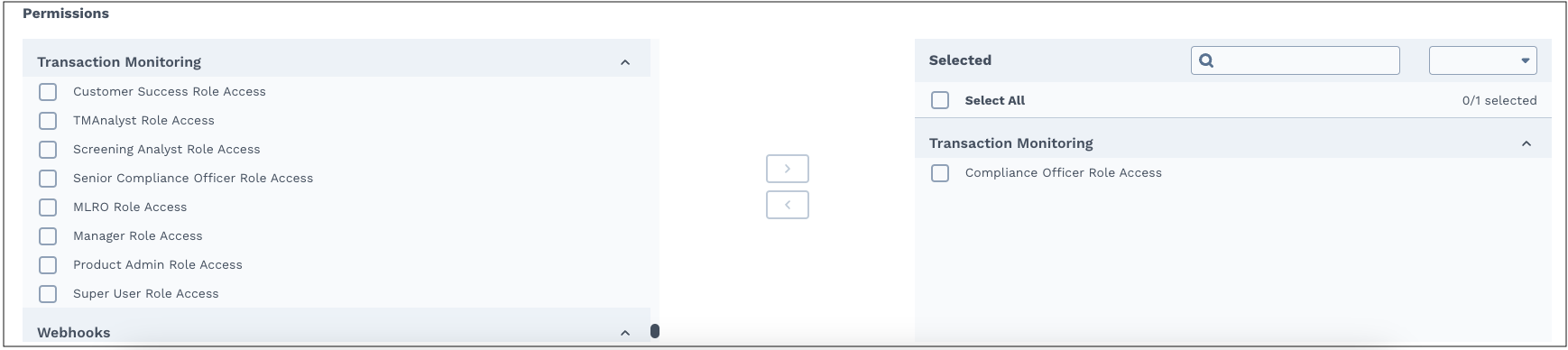
| Permission Name | Description | Notes |
|---|---|---|
| Customer Service Access | Ability to view all pages and features of TM and manage users. | The main function is to manage the users and monitor the features to confirm that they work as intended. |
| Product Admin Access | Ability to view all pages and features of TM. | |
| Super User Access | Ability to view and execute all actions within the platform. | This permission allows users to assess alerts in all stages, as well access to Insights and Escalate |
| TM Analyst Access | Ability to assess alerts in 1st or 2nd review stage. | This permission allows users to submit an assessment (ML, TF, Both, FP) for an AML alert that is in 1st or 2nd review stage. |
| Compliance Officer Access | Ability to assess an alert in Compliance review stage. | This permission allows users to submit an assessment for an alert that is Compliance review stage. |
| Senior Compliance Officer Access | Ability to assess an alert in Compliance review stage, view Business Rules and Team performance and escalated transactions. | This permission allows users to submit an assessment for an alert that is in the Compliance review stage. Allows access to Investigate, Insights and Escalate pages. |
| MLRO Access | Money Laundering Reporting Officer has the ability to view and manage true positive transactions that might need to be reported to the relevant Financial Intelligence Unit (FIU). | Allows view access to Investigate, Insights and Escalate pages. |
| Manager Access | Ability to view all open alerts and to assign and distribute alerts to Analysts and Compliance users. | Managers have access to the Investigate, Entities, and Insights pages. |
For further information about User Access and User Management in Fenergo SaaS refer to Configuring Access Management and User Administration.
Considerations
To set up a complete working group to run Transaction Monitoring that is able to investigate and close any alert, there is a minimum number of users and teams needed to be configured.
This can depend on the workflow configuration of the client.
- Two eyes policy – 2 different users.
- Option 1
- User that belongs to a team with TM Analyst Access
- User that belongs to a team with Compliance Officer or Senior Compliance Officer Access.
- Option 2
- Two users with Super User Access
- Option 3
- A combination of Option (1) and (2)
- Option 1
- Four eyes policy – 3 different users.
- Option 1
- Two different users that belong to a team with TM Analyst Access. So that each of them can execute 1st and 2nd review on the same alert. Please note that one Analyst can only review the alert in one stage.
- One user with Compliance Officer or Senior Compliance Officer Access
- Option 2
- Three users with Super User Access
- Option 3
- A combination of Option (1) and (2)
- Option 1
Limitations on TM Permissions setup
TM module does not support users having multiple permissions at the moment.
Therefore, it is important that teams and users are configured respecting the following:
- A team should be created with only one TM permission.
- A user should only be assigned one team that has TM permissions.
If such constraints are not respected during the tenant setup, the described functionality and user experience will be compromised and will not work as expected.