Working with Advanced Risk Functionality
Using the Assessment Tool
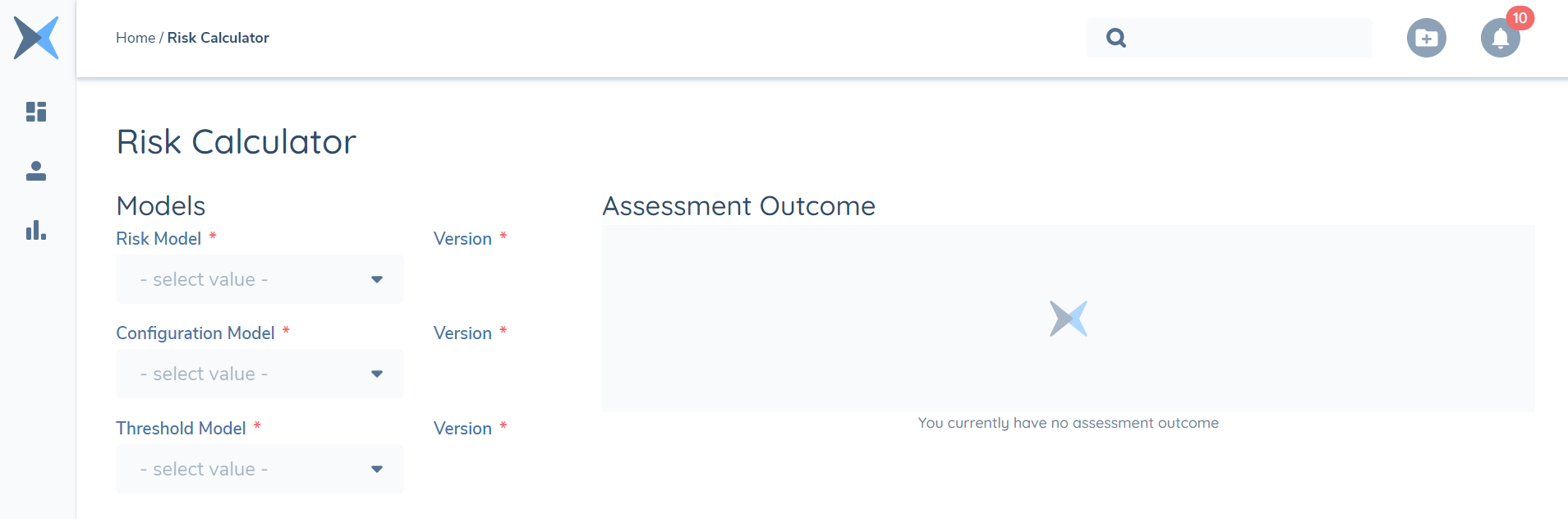
If you wish to query the outcome of selected Risk Model, Configuration Model, Threshold model combinations, you also have the ability to do so with the Fenergo SaaS Risk Calculator tool. This can be located in the left hand panel in the application under Risk Calculator:
Inputting Values:
- Select your preferred models and versions using the drop-down menus.
- The risk factors you have set earlier will appear on the screen. Input the values by typing and/or selecting them from the drop down list. You can select more than one input per risk factor if needed.
- Click ‘calculate risk’ to run the risk assessment.
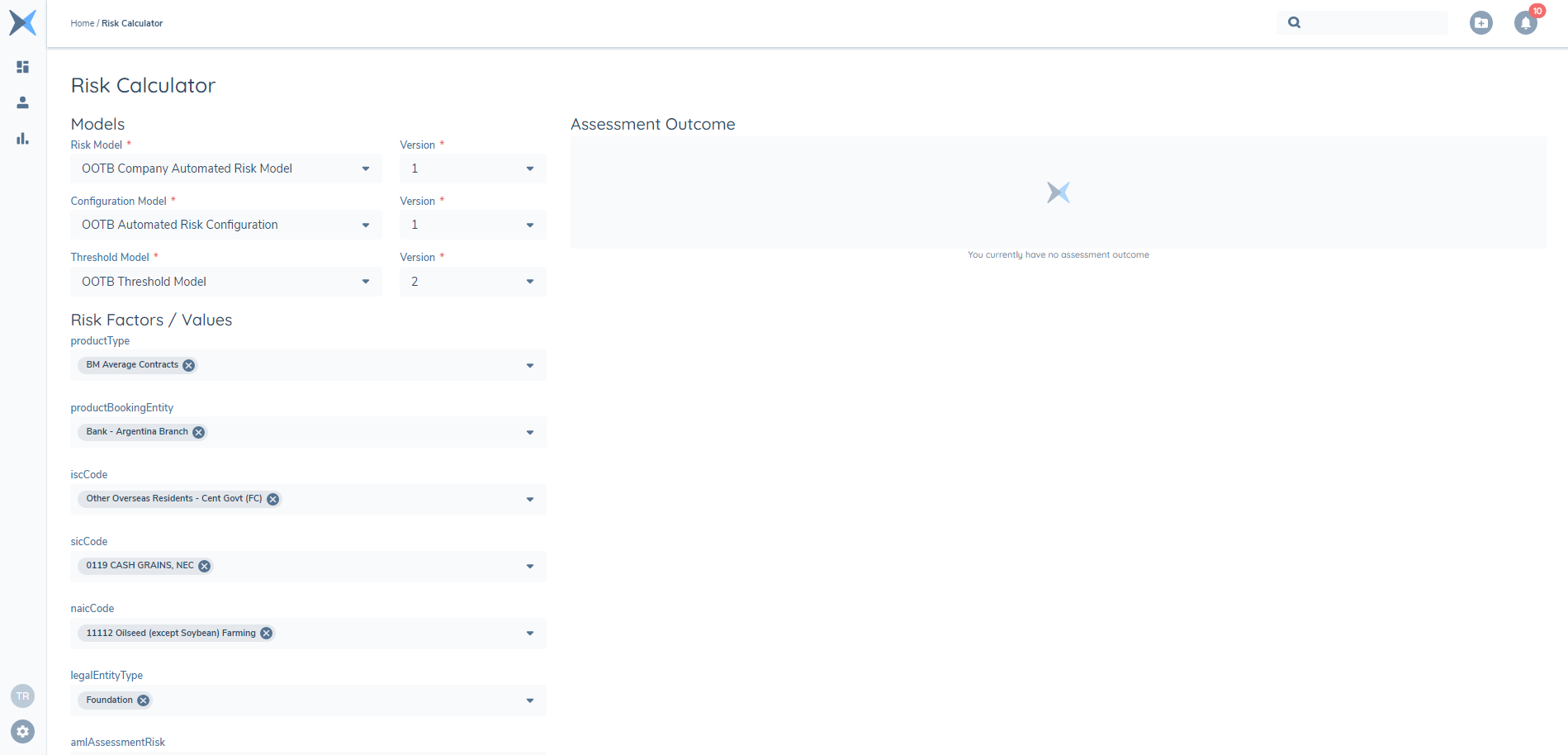
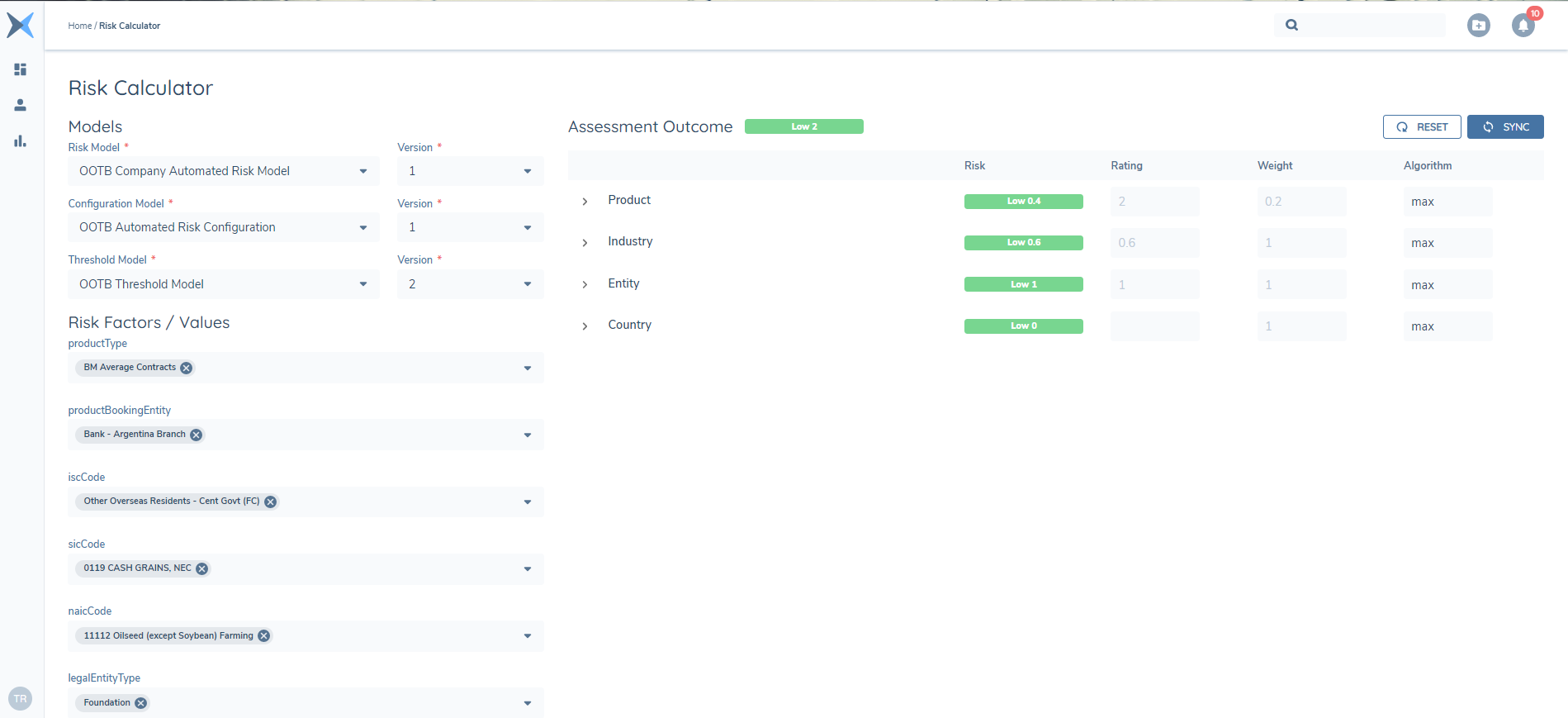
Based on your selection of Risk Model, Configuration Model and Threshold model, the Assessment Outcome will return different risk factors including their ratings, scores, individual weightings and a chosen calculation algorithm. If you cannot find the correct values in the drop-down list, you will receive the warning “one or more risk factors is missing a configuration collection”. Go back to your configuration model in the Risk Configuration page and ensure those values have been created and exactly match the spelling in the risk model. If you would like to start again, click reset to clear all inputs.
The risk outcome will appear on the right. You can navigate through your groups to see how the outcome was calculated and how each group scored.
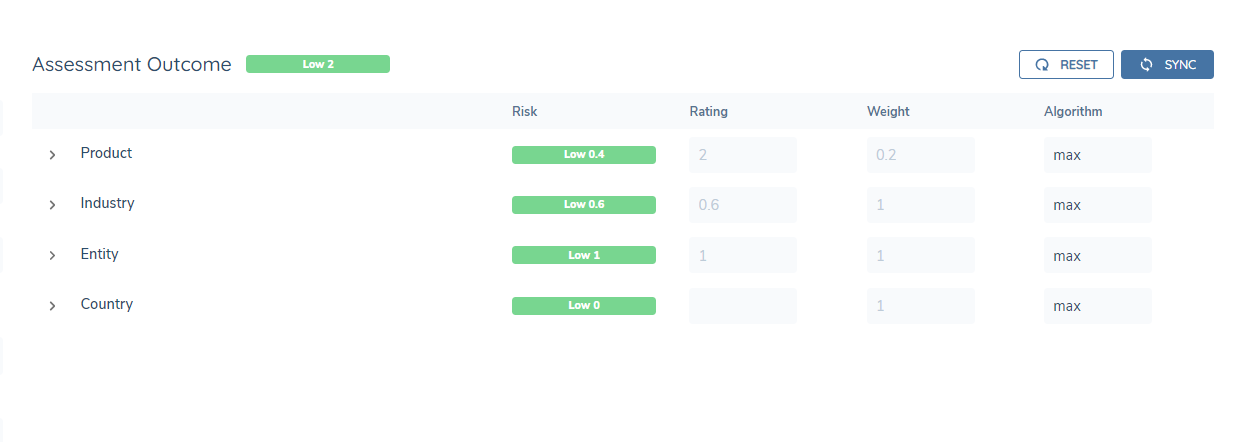
At this stage you can choose to override the predefined weights and scores by inputting new values in the boxes.
- If you have multiple inputs for a single risk factor, you can select the algorithm that determines how the values are calculated. This is defaulted to max.
- You can reassign the weight of each risk factor input and recalculate risk to see the effects on the calculation.
- You can override the risk rating of each risk factor to see the effect on the calculation.
Click recalculate (‘SYNC’) to see the outcome with the new override values. And clear overrides by clicking the reset arrow within the input box or clear all the overrides by clicking reset on the top right.
Driving Conditionality from Risk Assessment
Outcomes
In this section we will look at how to drive conditional stages, processes and tasks in a Journey based on a Risk Assessment outcome using the Risk Assessment Condition task, the Risk Assessment Conditional Policy Output value task and Decision Gateways in the Task Properties*.
*Note: Following the introduction of Decision Gateways in Journey Builder, we no longer require the Risk Assessment Condition task and the Risk Assessment Conditional Policy Output value task. These tasks have now been removed as available options when creating new Journeys and when creating new versions of existing Journeys and we advise all Configurators to use Decision Gateways going forward.
Risk Errors
Below are the possible reasons risk could error in a journey:
"Risk configuration not found for value [dataKey]" The input that was captured in journey does not match the input configured in risk. For example, "Iran, Republic of" was captured in the journey but the risk configuration only has "Iran".
"[value] did not fall within any threshold in the model The threshold model doesn't account for the numerical result of the calculation. For example, the risk result was 52 but the threshold model only has "0-20: Low" and "20.1 - 40: High" configured.
"Risk configuration collection not found: [datakey]" The risk model has a value but the configuration collection does not. For example, the risk model dictates that "countryOfIncorporation" is mandatory, but there is no "countryOfIncorporation" in the risk configuration collection.
"No risk model found with id: [guid]" The risk model was most likely deleted after the journey was configured.
"Mandatory Risk Factor has no input values provided" There is a mandatory risk factor that had no values captured in the journey. For example, the risk model must have "countryOfIncorporation" but at no point was this field presented and captured in the journey.
"No risk configuration model version was found for model: [guid]" The risk configuration collection exists but all versions were most likely archived, deleted, or none are 'active'.
"Risk Configuration has no configured factors" No values were configured in the configuration collection. For example, the factor "countryOfIncorporation" does exist but the inputs "Ireland:1", "UK":2", etc. don't exist.
Other If another error is presented, please reach out to a member of the product team to investigate.