Writing Custom Code
The Transformer Task allows you to build your own logic using TypeScript.
Transformer Code Editor
The editor is the same that powers VS Code (Monaco) - providing a powerful full-featured developer experience, including support for IntelliSense and Validation.
Your code will start from the Transform() function but you can add your own functions to divide and better manage your code as you like.
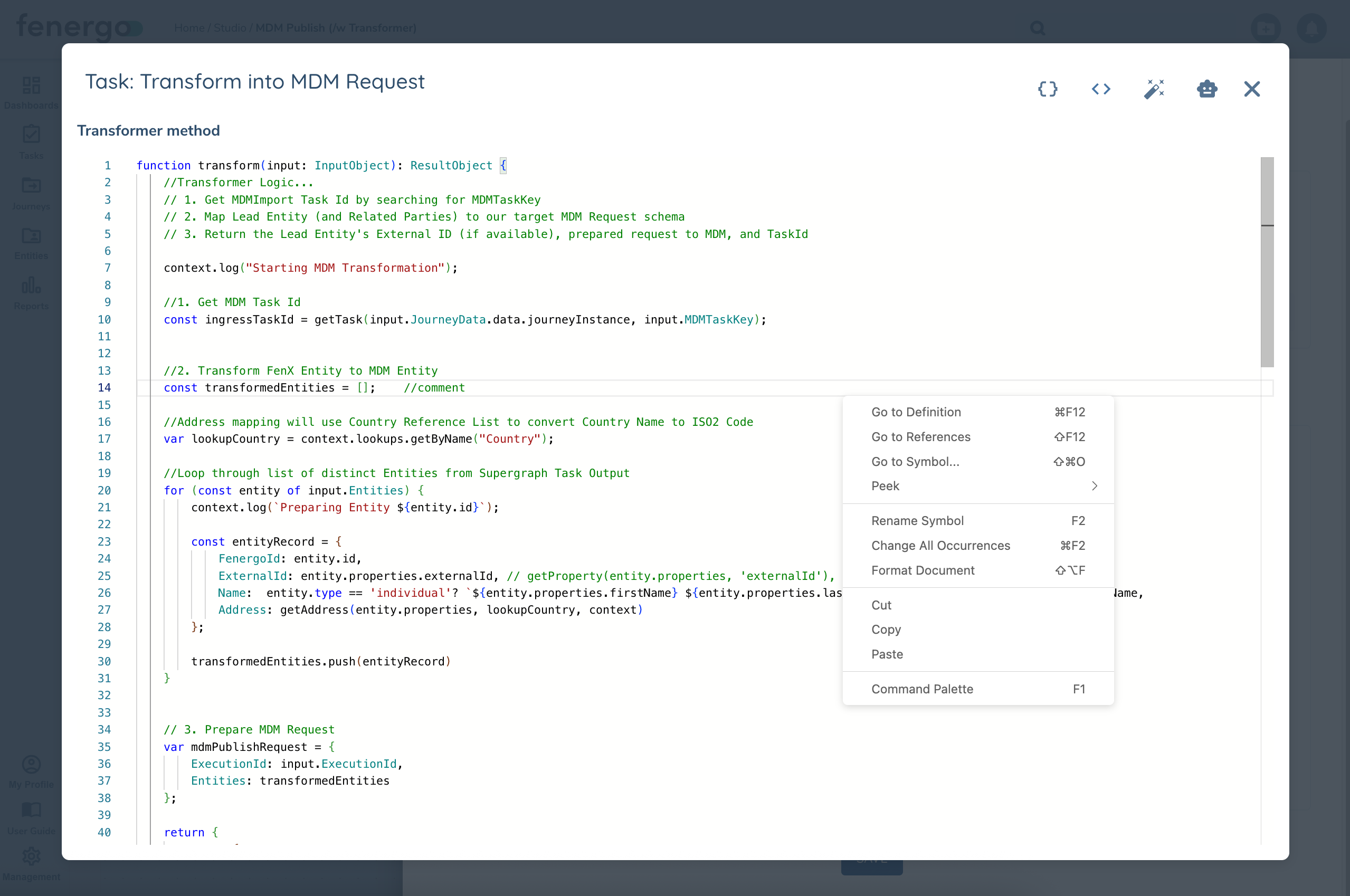
The Transform() function takes one input:
- input - InputObject. This will be defined according your configuration on the Input Tab in Transformer Task Configuration
The Transform() function must return an object of type ResultObject which includes the following:
- output - You can return any object you want as the Output, or you can define it using a schema in Task Configuration (Types tab). It will be mapped to your the Transformer Task's ResponseBody output variable
- state - Lets you optionally return State Data to be merged (top-level) back into Execution.State. Use this to store temporary data that can be editted in subsequent tasks, such as Loop Counters.
Built-in Interface Types
Behind the code editor are included a number of built-in Interface Types, some are included by default but you can add more from the Types tab in Task Configuration. If you click the icon at the top of the editor it will copy the types to your clipboard and you can review them in another window.
| Interface | Description |
|---|---|
| InputObject | This will be dynamically defined according your configuration on the previous Input Tab and maps to the input parameter to Transform() method |
| Context | This is how we expose native functions to your custom code. See Context Functions for more details. |
| InitiatorRequestObject | This is the definition of Execution.Request per your Flow's Initiator (Flow Initiator). If you include this special variable in your Input then your InputObject definition will include an object of this type. This interface is dynamic based on the type of Flow Intiator chosen. If a Journey Trigger then the definition will include JourneyId, TaskId. If ExternalDataAdapter then it will have details on the Adapter Request, etc |
| ResultObject | Returned output from your custom code. It takes two parts: - Output - (Record<string, unknown>) You can return whatever you want as the Output. It will be mapped to the Transformer Task's ResponseBody output variable) -State? - (Record<string, unknown>) Return values will be merged (top-level) back into Execution.State |
State Data
While most Variables, like Flow/Global variables and Task outputs are read-only, Execution.State allows you to write and update data between Transformer Tasks. It's useful to store temporary data like Loop Interations and pointers to objects like a particular entity in a list of entities to be processed.
In the sample code at the top of the page you can see we're using the Transformer Task to iterate across a list of Entities one at a time to be processed by later tasks in the Flow. It stores in State the next Entity to process (NextEntity), the current loop iterator (Iterator), and a boolean that indicates if there is another entity to process (HasNextEntity) -- this one is used in a Router task to route back to the loop start or proceed to the next phase of the Flow.
The State output from Transformer code will be merged into the existing Execution.State data at the top level, meaning if NextEntity already exists it will be overwritten with the incoming object. If you are storing a list of entities in State and want to merge one record into that list you would need to provide the list as an input to the Transformer and manage the merge in code before returning the updated list as a State object.
AI Assistant
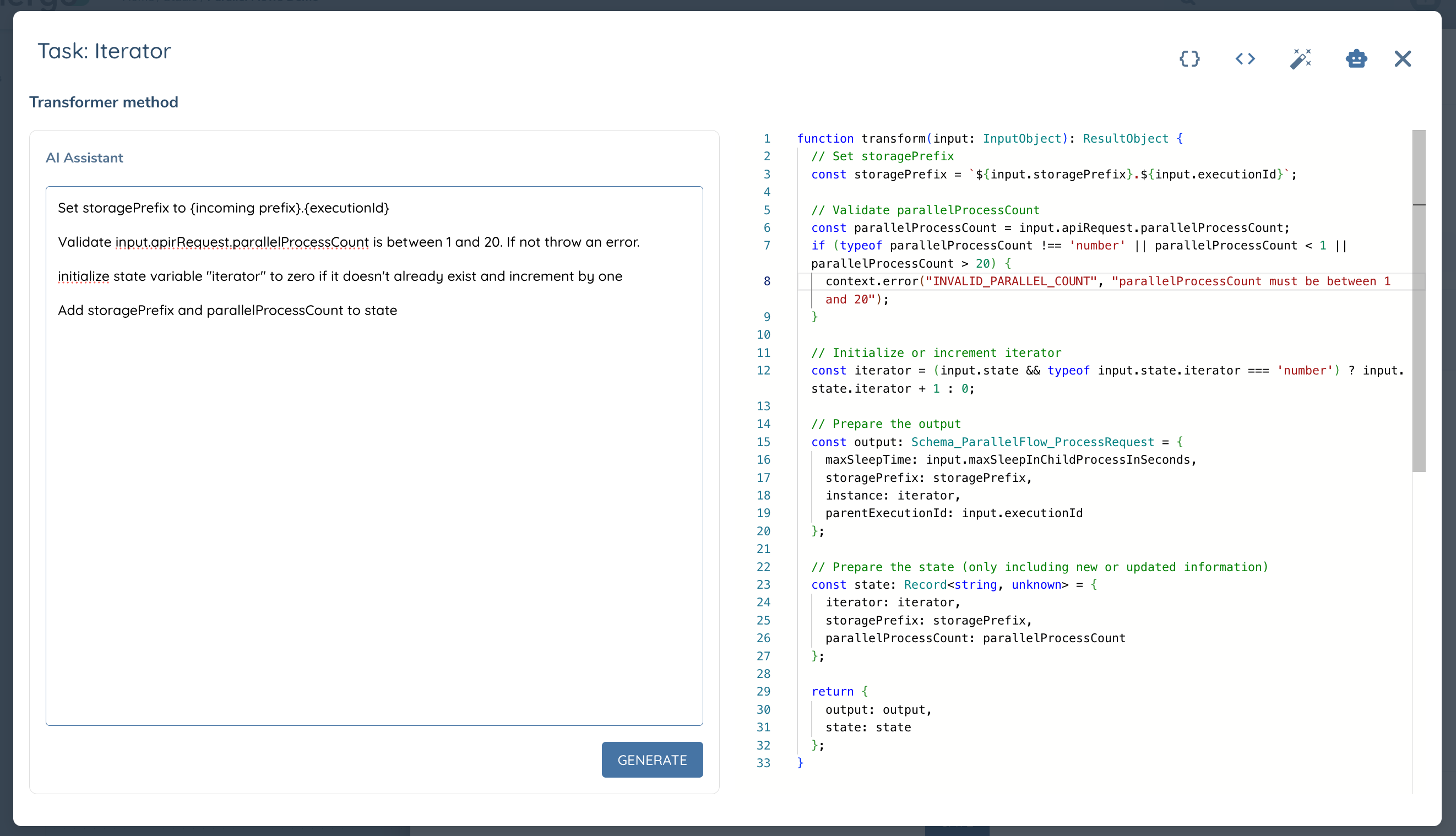
Transfomer Code now includes an AI Assistant to help you write your TypeScript code. To open the AI Assistant click on the icon and describe what you want your code to do - AI Assistant will take care of the rest! It's fully aware of Integration Flows features and the built-in functions available.
In the picture below all the code you see was generated by the prompt shown.